Reveal any website's type scale.
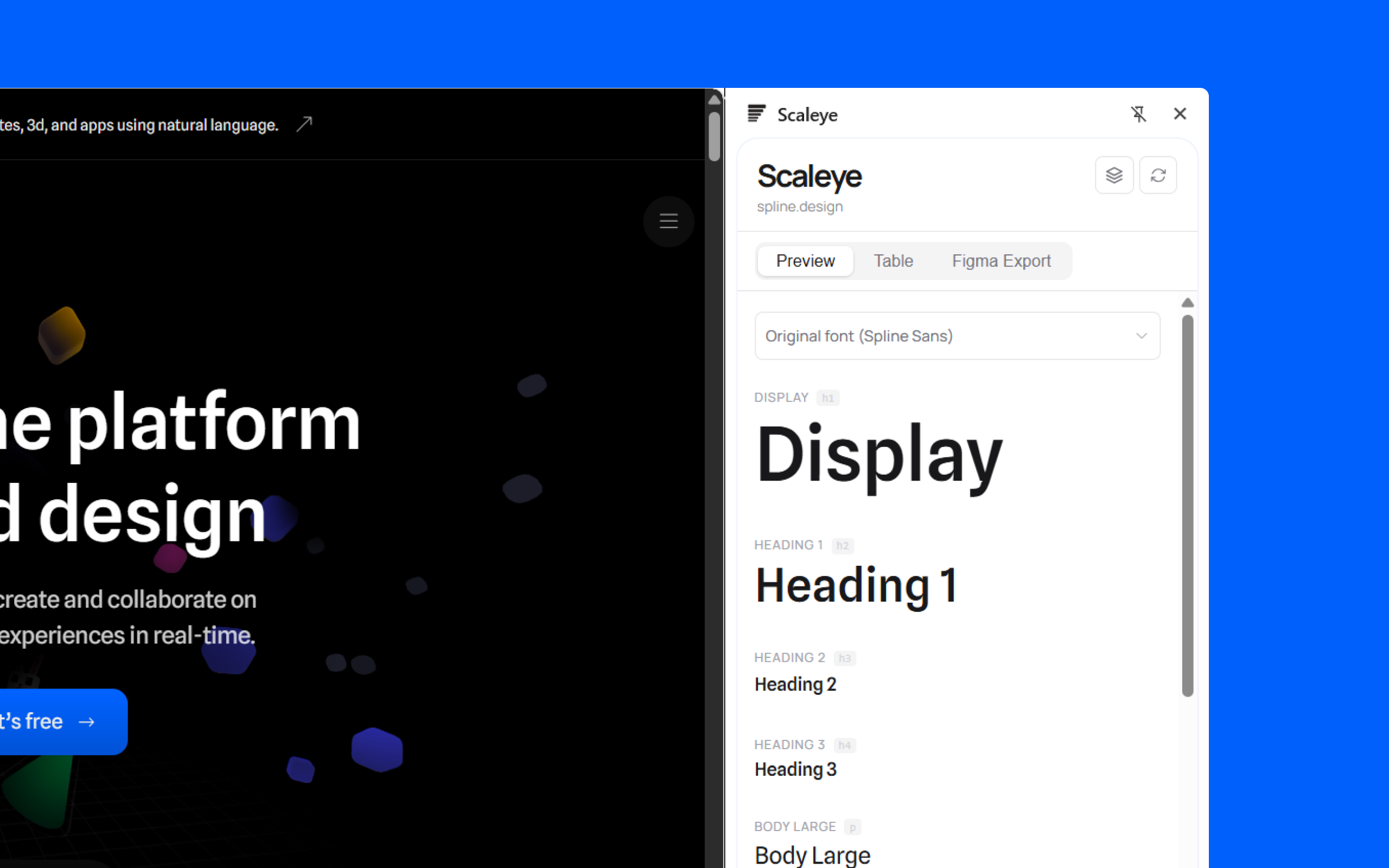
Scaleye is a Chrome extension that analyses and extracts the typographic hierarchy of any website — sizes, families, ratios — and exports it to Figma in one click.
Add to Google Chrome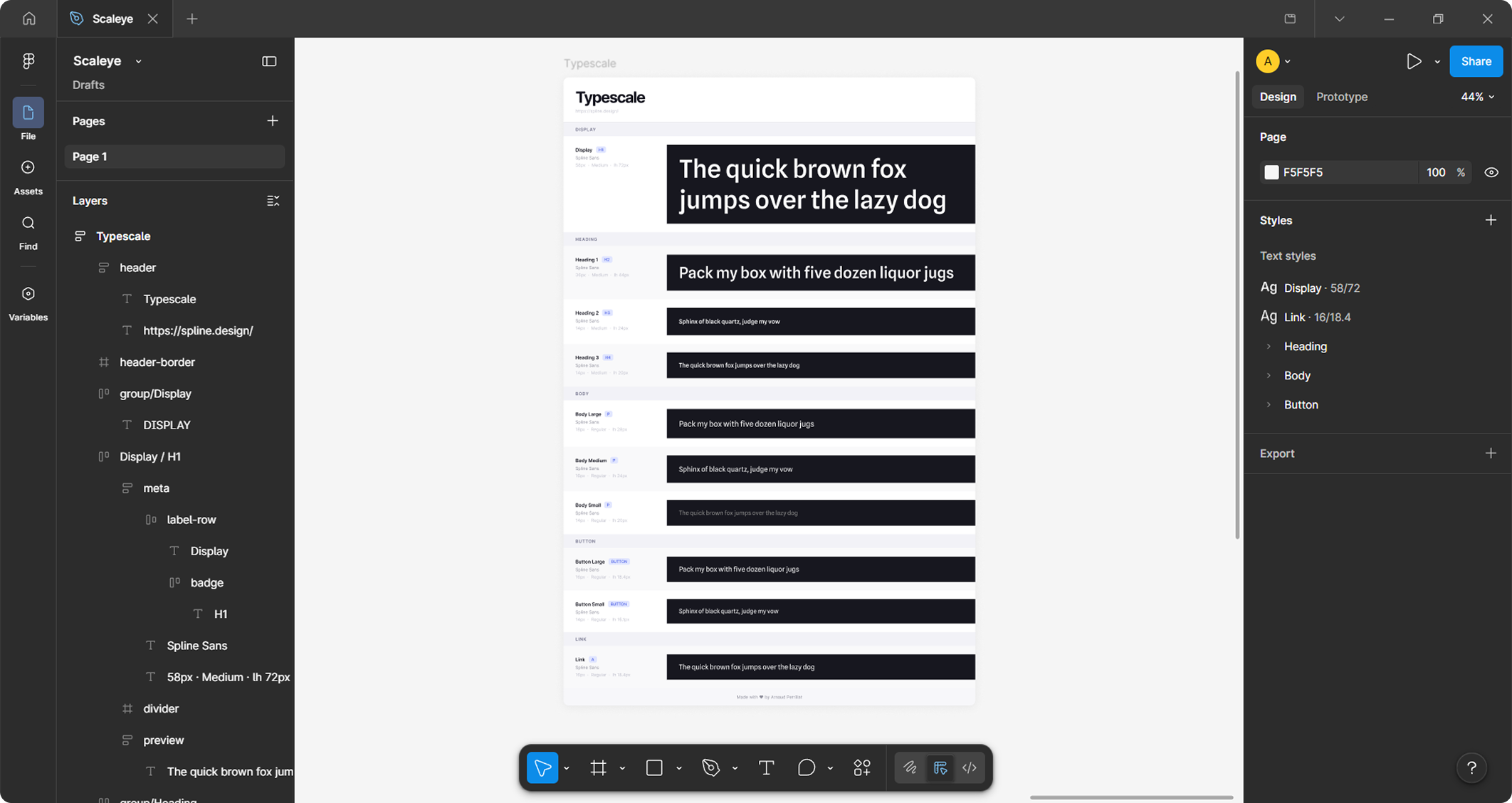
Client
Freelance
Year
2026
Role
Designer & developer
Stack
React
The context
While auditing interfaces for client projects, I kept finding myself manually reconstructing the type scales of websites, either to draw inspiration from them or to document them. The existing tools (WhatFont, Fonts Ninja…) reveal the fonts, but not the logic of the scale. I built Scaleye to fill that gap — a tool for designers who want to understand the typographic structure of a site, not just its raw values.
The approach
1. Define the real problem
Start from my own day-to-day irritation rather than from a feature. The question wasn't "how do I display the fonts" but "how do I reveal the system behind the sizes".
2. Clarify the scope
Scope the tool around a single job to be done: extract and visualise the type scale. Not a general inspector, but a precision instrument. The name Scaleye (scale + eye) reflects that intent.
3. Design the flow in two steps
The Chrome extension captures and exports. The Figma plugin imports and generates — type scale frames plus ready-to-use text styles. Two distinct tools, one smooth end-to-end workflow.
4. Take distribution seriously
Writing the permission justifications for the Chrome Web Store, hosting the privacy policy, tuning the Vite packaging to avoid manifest conflicts — all invisible details, but critical for a tool to be taken seriously.



What I took away
- The value of a niche tool is its precision. Doing one thing well beats shipping yet another general-purpose inspector.
Chrome extension
Install the extension from the Chrome Web Store.